Native macOS window
Watch Netflix in a dedicated app window. Resize it, move it beside other apps, or use fullscreen.
 Macflix
Download for Mac
A dedicated macOS app for your Netflix account, with a native window, saved sign-in, keyboard controls, and an experimental Dolby Atmos bridge.
Apple silicon · macOS 14 or later
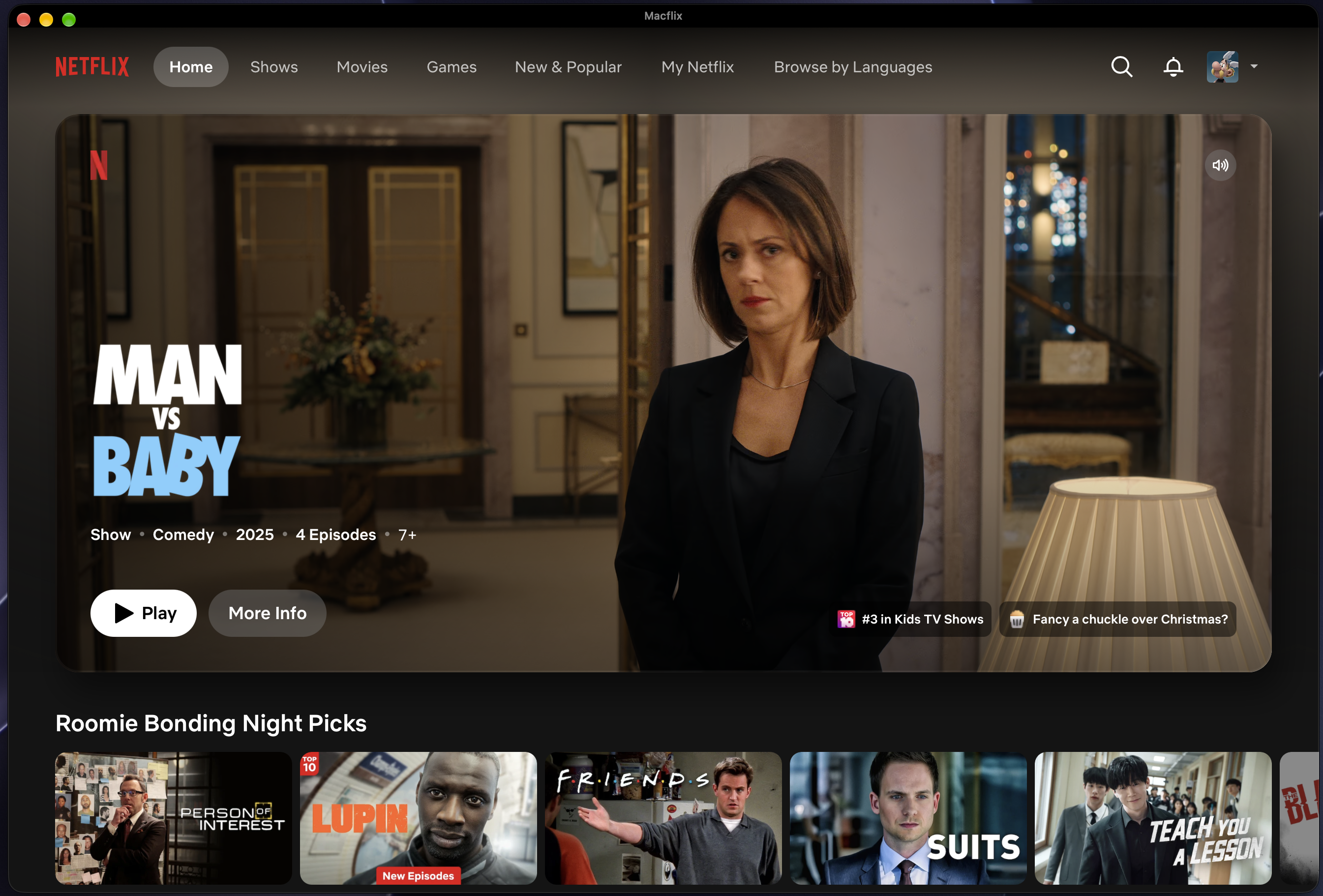
Watch Netflix in a dedicated app window. Resize it, move it beside other apps, or use fullscreen.
Your Netflix session is kept in Macflix’s separate WebKit profile on this Mac.
Use the standard play and pause keys, and toggle fullscreen from the keyboard or menu.

Macflix includes an experimental bridge for compatible Dolby Digital Plus Atmos tracks. Availability depends on the title, Netflix track selection, macOS audio support, and output device. Actual Atmos rendering is not guaranteed.
Macflix uses Netflix’s website for playback and sign-in. Your Netflix password is entered on Netflix, not collected by Macflix.
Get the latest releaseApple silicon · macOS 14 or later
Get the current Macflix installer from GitHub Releases.
Open the disk image and drag Macflix into your Applications folder.
On first launch, macOS may ask permission for WebKit’s “WebCrypto Master Key.” Choose “Always Allow” so your saved session can work.
No. Macflix is an independent macOS app. Netflix, Dolby, Dolby Atmos, and related marks belong to their respective owners.
Netflix sign-in and session data stay in Macflix’s separate WebKit profile on this Mac. Macflix does not collect your Netflix password or send viewing history to its developer.
WebKit uses macOS Keychain to protect encrypted website data such as sign-in session keys. Choose “Always Allow” for the prompt tied to Macflix if you want to avoid repeat prompts. Macflix does not read your Keychain passwords.
Macflix is built for Apple silicon Macs running macOS 14 or later. You’ll need your own Netflix account to watch.